> For the complete documentation index, see [llms.txt](https://docs.pline.ai/llms.txt). Markdown versions of documentation pages are available by appending `.md` to page URLs; this page is available as [Markdown](https://docs.pline.ai/features/team-collaboration/inviting-a-new-team-member.md).
# Inviting a New Team Member
The Team Collaboration feature in Pline makes it easy to share datasets and workflows within your organization for efficient collaboration.
Here's how to invite new team members:
* **Access the Pline platform**
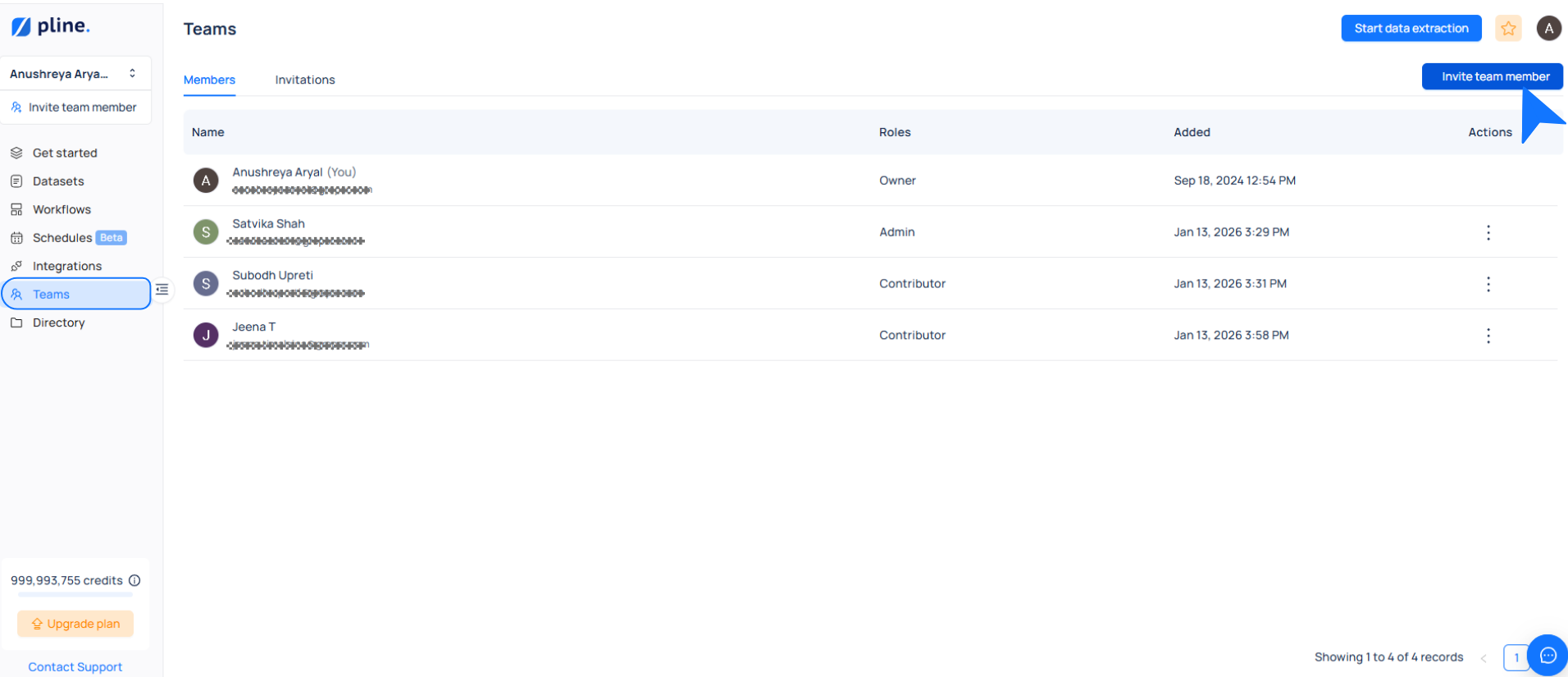
* Navigate to the **Teams** section and click on **Invite Team Member**.
* **Enter the required information**
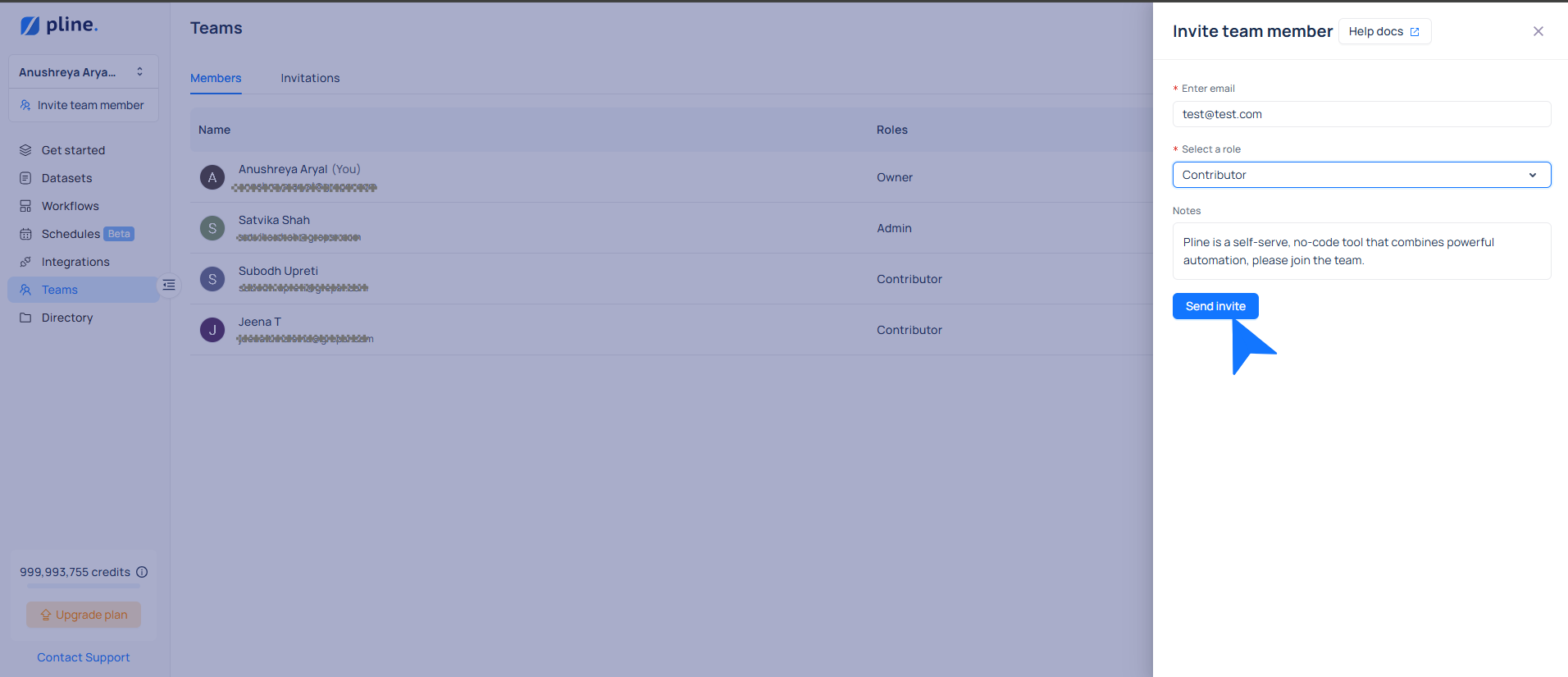
* **Email Address**: Provide the email address of the person you want to invite.
* **Role**: Assign one of the following roles:
* **Admin**
* **Contributor**\
For more details on roles, refer to [Pline Roles in Team Collaboration](/features/team-collaboration/roles-in-team-collaboration.md).
* **Send the invitation**
* Once all fields are completed, click **Send Invite**.
The invitee will receive an email with a link to join your organization on Pline.
* **Manage your team**
* Use Pline's intuitive **Team Management** tools to manage, remove, or re-invite team members as needed.
The next section provides a comprehensive guide to these features, ensuring seamless collaboration for your team.