> For the complete documentation index, see [llms.txt](https://docs.pline.ai/llms.txt). Markdown versions of documentation pages are available by appending `.md` to page URLs; this page is available as [Markdown](https://docs.pline.ai/getting-started/creating-a-workflow/edit-workflows.md).
# Edit Workflows
## Editing Via Browser Extension
Follow these steps to edit a workflow using the Pline Browser Extension.
### Step 1: Launch the Extension
Open the Pline Browser Extension window and select the workflow you want to edit.
#### Step 2: Enter Edit Mode
Click on the three dots and choose **Edit Workflow**.
{% hint style="danger" %}
All schedules and integrations will be disabled and must be recreated for the new version.
{% endhint %}
#### Step 3: Edit Your Workflow
Pline will automatically navigate to the website, allowing you to add, delete, or rename fields.
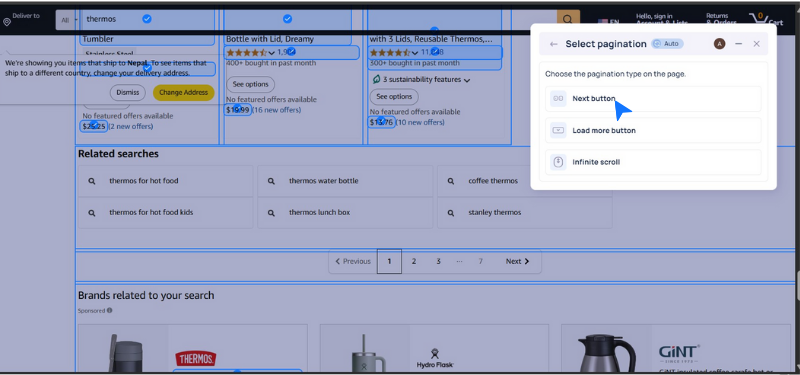
After editing the fields, select the appropriate **pagination type** based on the website.
{% hint style="info" %}
For example, Amazon uses the Next button as the pagination type.
{% endhint %}
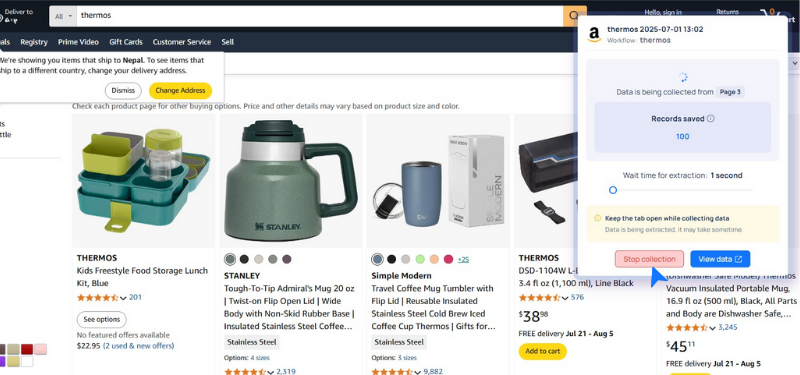
#### Step 4: Preview & Run
Review the sample data, then run the workflow by clicking the **Update and Run** button, or hover on the dropdown to **Update and Save**.
Pline automatically extracts data until the page ends, or you click Stop Collection.
After stopping the extraction, you can:
* Preview the sample data to verify the accuracy of the extraction.
* Download the data in CSV format.
* Visit the Pline Platform for additional context on the datasets.
## Editing Via Pline's Platform
You can also edit workflows directly from the Pline's Platform using the steps below:
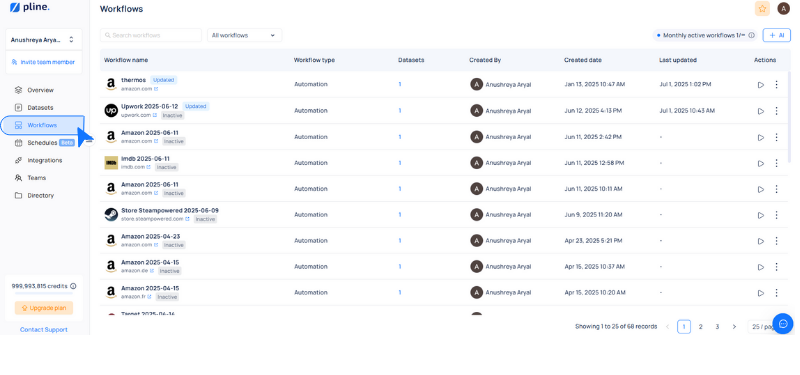
#### **Step 1:** Navigate to Workflows
Navigate to the **Workflows** Tab in the Pline Platform.
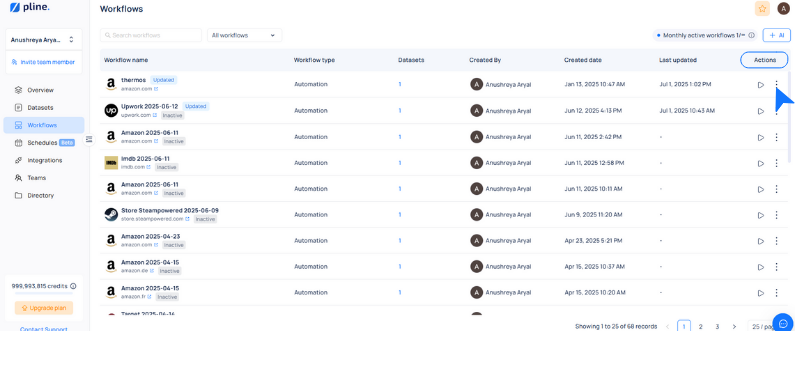
#### **Step 2:** Enter Edit Mode
Click the three dots next to the workflow in the Actions column and choose Edit Workflow.
{% hint style="danger" %}
All schedules and integrations will be disabled and must be recreated for the new version.
{% endhint %}
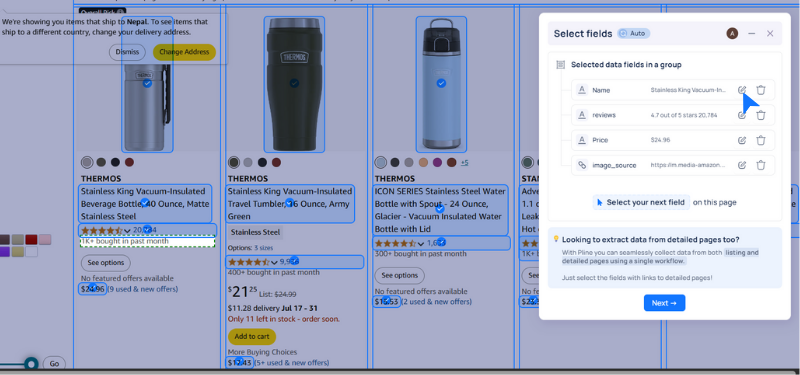
#### **Step 3:** Edit Your Workflow
Pline will automatically navigate to the website, allowing you to add, delete, or rename fields.
After editing the fields, click **Next** and select the appropriate pagination type based on the website.
{% hint style="info" %}
For Amazon, use the **Next button** as the pagination type.
{% endhint %}
#### **Step 4:** Finalize & Run
Review the sample data, then run the workflow by clicking the **Update and Run** button, or hover on the dropdown to **Update and Save**.
Pline automatically extracts data until the page ends or you click Stop Collection.
After stopping the extraction, you can:
* Download the data in CSV format.
* Visit the Pline Platform for additional context on the datasets.


.png?alt=media&token=d44aa3fa-211a-4f03-b604-268800dd1da2)