> For the complete documentation index, see [llms.txt](https://docs.pline.ai/llms.txt). Markdown versions of documentation pages are available by appending `.md` to page URLs; this page is available as [Markdown](https://docs.pline.ai/features/integrations/setting-up-amazon-s3-integration.md).
# Setting Up Amazon S3 Integration
Pline’s Amazon S3 integration enables you to automatically send and store extracted data in your S3 buckets, providing secure, scalable, and centralized data storage without the need for manual uploads.
Here's how to set up Amazon S3 Integration:
### Step 1: Access the Pline Platform
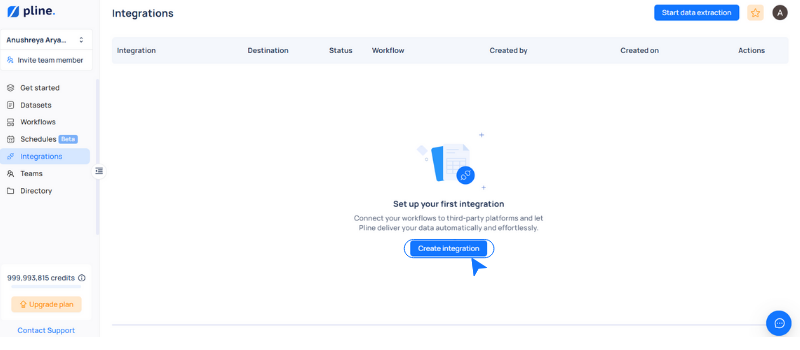
Navigate to the "**Integrations"** section and click the "**Create Integration"** button.
### Step 2: Set up the dataset
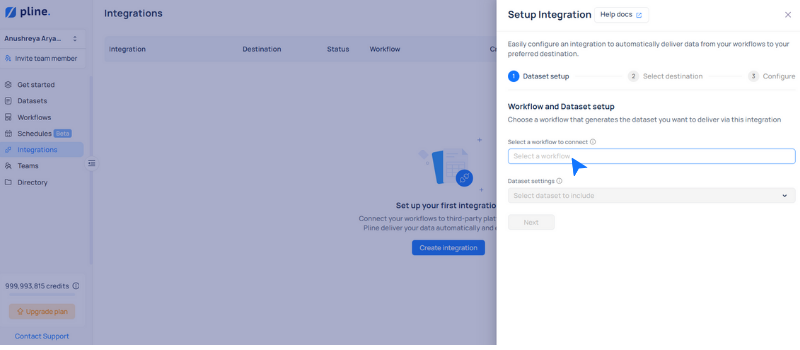
* Select the workflow or use the dropdown to choose the workflow you want to integrate.
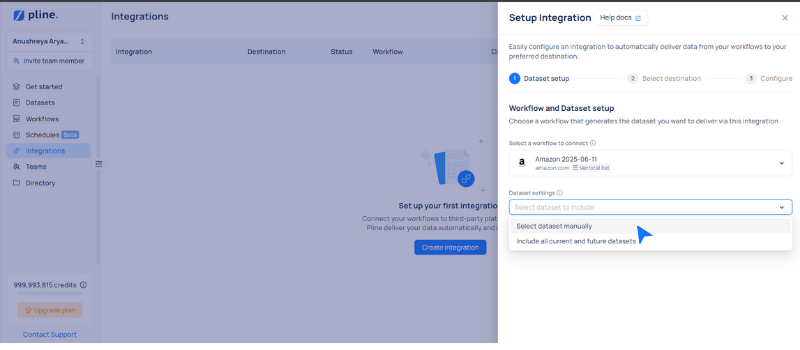
* Manage your dataset settings by manually selecting specific datasets or automatically including all current and future datasets.
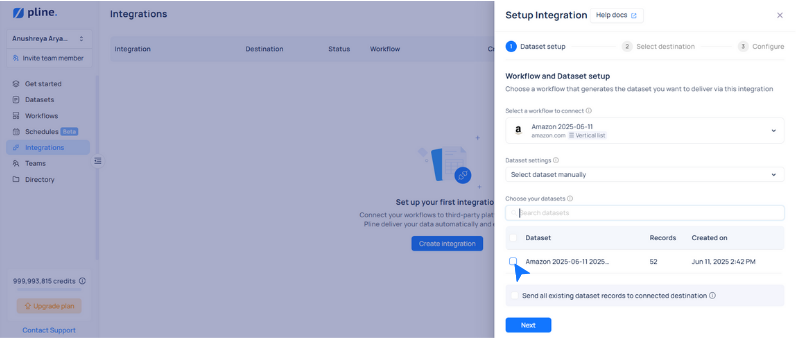
* Select the datasets you want to connect, then click **"Next".**
### Step 3: Configure Destination
Select **Amazon S3** as the destination and complete the following configuration fields:
* **Integration Name**: A custom name to identify this integration.
* **File Name**: A custom identifier for the file stored in the S3 bucket.
{% hint style="info" %}
Use the naming convention: **`{filename + dataset ID + timestamp}`**
{% endhint %}
* **S3 Bucket Name**: The name of the bucket where data will be stored.
* **File Type**: Choose the export format, either CSV or JSONL.
* **Integration Access with Team Members:** Enter the team member’s information to share access.
After you've successfully set up your Amazon S3 Integration, click "**Connect".**
### Step 4: Link AWS IAM Account
Provide the necessary AWS credentials to authorize access to your S3 bucket, and click "**Connect"** to finalize and activate the Amazon S3 integration.
.png?alt=media&token=ba6665fc-fc26-4444-81ff-77557e004d50)
%20(3).png?alt=media&token=a87d35bc-9331-4d6c-a055-7633a898038b)